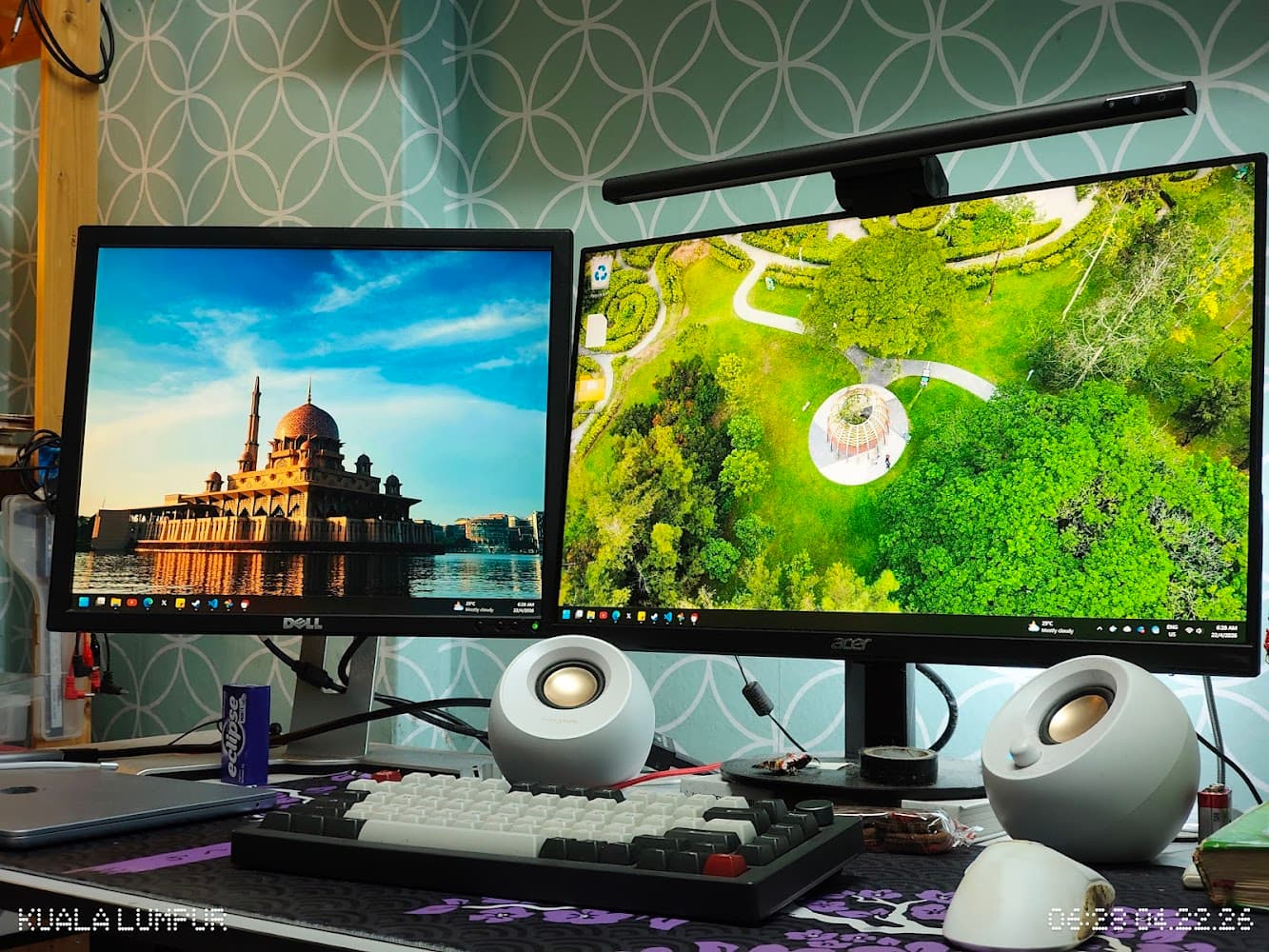
My PC is finally fixed & optimized
- Published on
In this post, I'll break down three fixes/optimizations that I recently made to my PC. You can jump to any section at any time:
- Reclaiming hardware reserved RAM space
- Change automatic SWAP drive settings
- Unresolved issue: Unable to run RAM at its advertised speed
Reclaiming hardware reserved RAM space
Take a look at my Task Manager screenshot below.
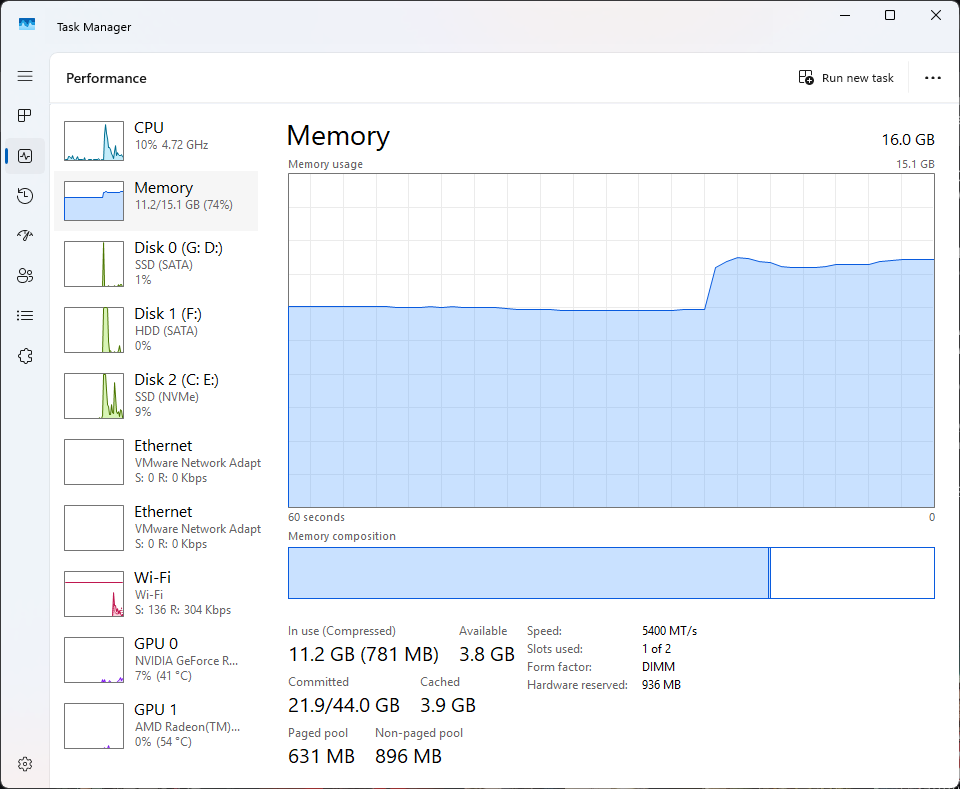
Look at the Hardware reserved section. It is using 936 MB of my RAM. While that is not a lot, if it is left unused, it would be better if we could utilize it. After all, in this economy where all computer components are ridiculously expensive, 0.9 GB of space is still space that I don't want to waste. I understand that hardware-reserved memory is often used by the integrated GPU. But since my system already has a dedicated GPU, the reserved space is not needed as much. So, I wanted to reclaim that space.
I searched online and found one post from Reddit. I could not find the specific setting the OP mentioned. So, I turned to an LLM to guide me. Below are the steps to disable the iGPU and reclaim a bit of the hardware-reserved RAM space. The steps might be specific to my motherboard, the ASRock A620M-HDVM.2, but you can try to find similar settings in your BIOS if you have the same issue.
- Boot into BIOS settings.
- Go to the Advanced tab.
- Enter the
AMD CBSmenu. (CBS stands for Common BIOS Settings) - Enter the
NBIO Common Optionsmenu. (NBIO stands for NorthBridge Input/Output) - Enter the
GFX Configurationmenu. - Find the
dGPU Only Modesetting, and change it fromAutotoEnabled.
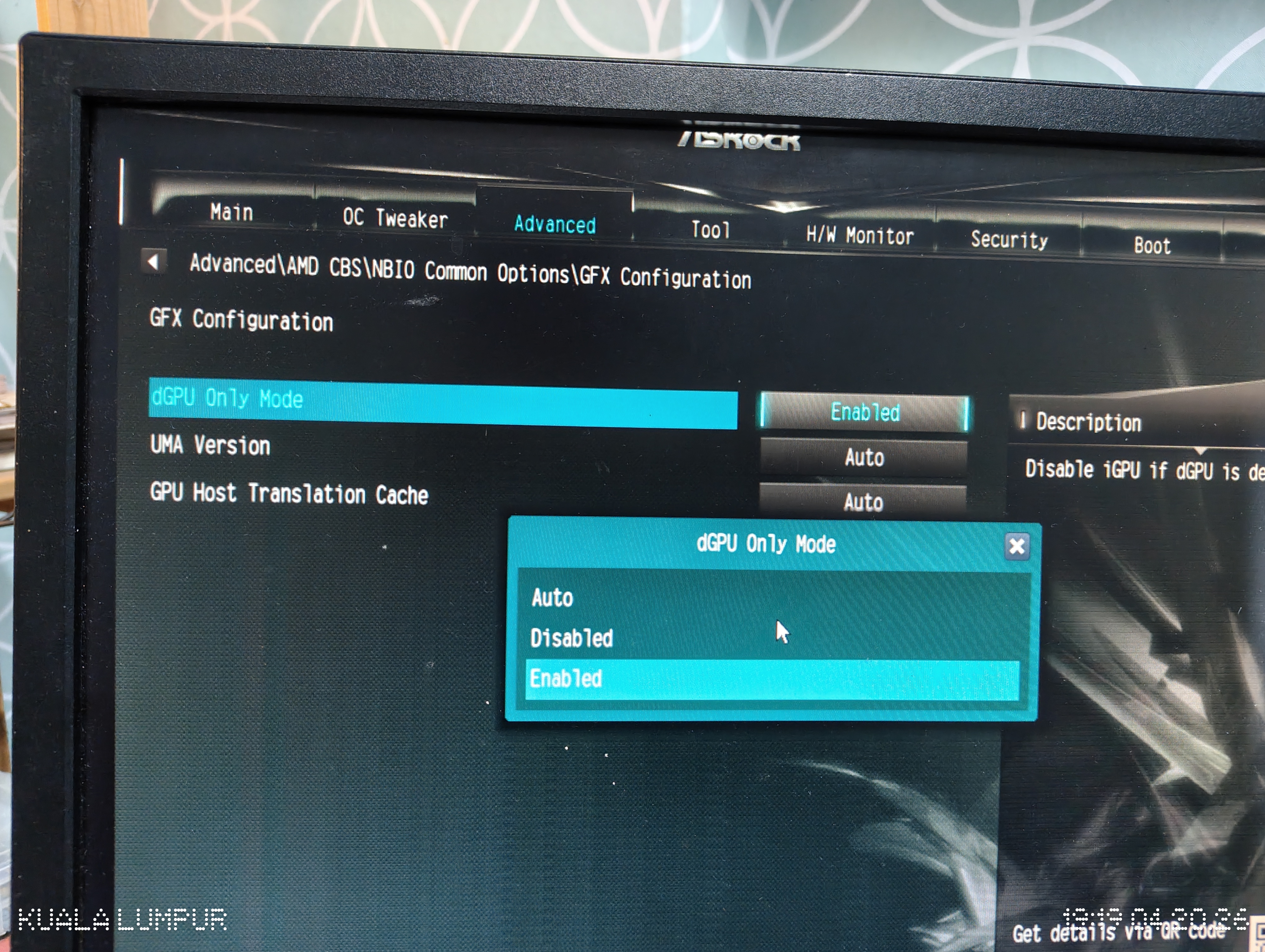
The setting was originally set to Auto. Change it to Enabled.
Save the settings and exit the BIOS. After booting into Windows, check Task Manager again. The hardware-reserved RAM space should be reduced, and I now have 15.6 GB of usable RAM instead of 15.1 GB. I admit that this is not a huge difference, but at least the previously reserved RAM space is now being put to use by the system.
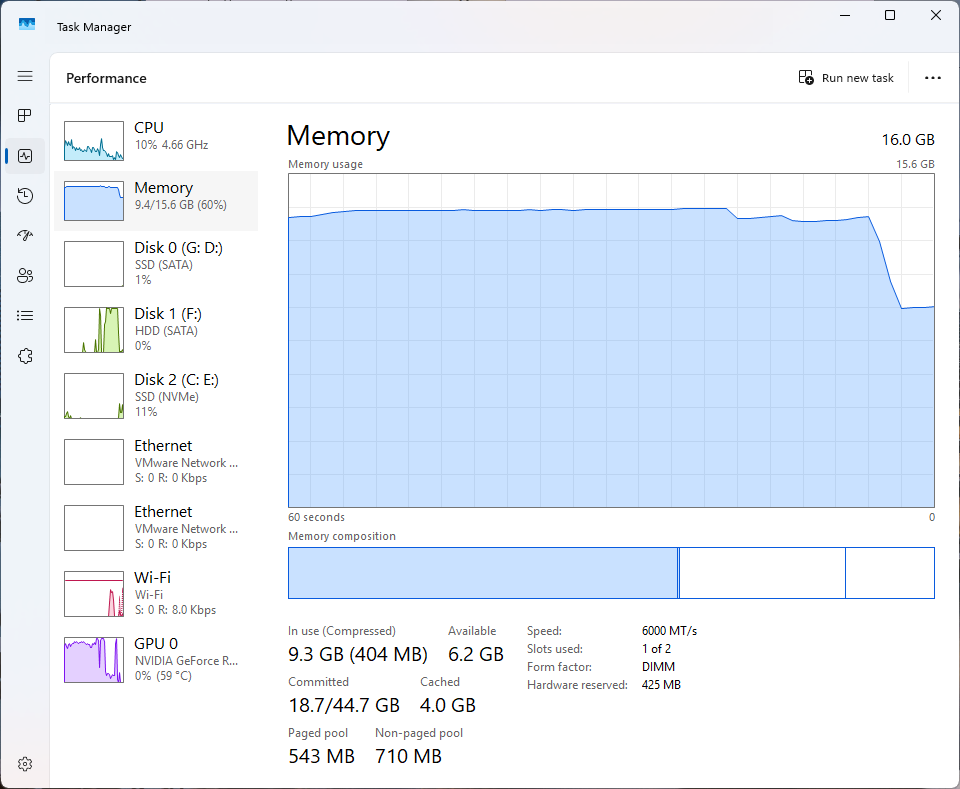
Hardware reserved is now 425 MB. Notice that the integrated GPU is no longer shown on the side.
I hope RAM prices will drop soon. End~
Change automatic SWAP drive settings
note
In this section, I may refer to the Windows page file as SWAP interchangeably.
When doing heavy work, such as compiling code with the emulator running, my PC would stutter. The UI would freeze, including the mouse cursor. I had to wait for a few seconds before it responded again, but half the time, it never responded and I had to force it to shut down.
Although infrequent, the freezes were severe. During one incident, Task Manager showed 100% disk usage. And who was using it? The System process. Huh?
I looked it up online, and one Reddit post said it was normal because Windows might be doing maintenance in the background, e.g., defragmenting the disk or installing updates. But I don't think that's the case. It happened everytime when I was doing heavy work, even after I restarted my PC!
Again, I turned to an LLM to ask for help. It gave me some possible causes, and I think one on the reason hit a bullseye:
...If pagefile is on this HDD, Windows may be swapping memory to that slow drive, making everything worse.
Now, how do I prevent Windows from using my HDD as SWAP? You can follow these steps:
- Search
View advanced system settings. Open it. - Go to the
Advancedtab and clickSettingsin thePerformancesection. - Go to the
Advancedtab and clickChangein theVirtual memorysection. - Uncheck
Automatically manage paging file size for all drives. This is the culprit causing the issue. Windows is using the HDD. I think it chooses the drive with the most free space available.
You need to select which drive you allow Windows to use as SWAP. I selected only my SSD.
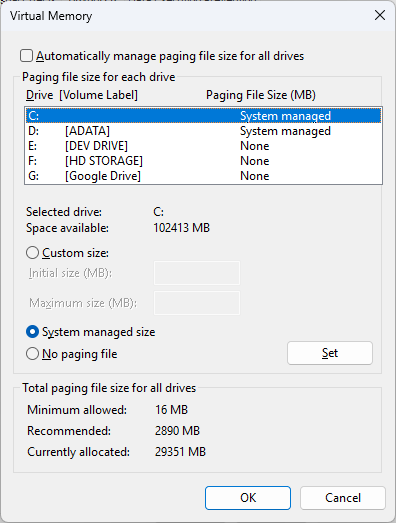
After restarting the PC, I try to see if the issue is still reproducible by running Flutter build (basically a code compilation to trigger high memory usage). The compilation was successful, and I didn't encounter any stuttering or freezing issues. I can say that the issue is finally fixed!
So, here's what I think originally happened. When I'm compiling a codebase, my RAM is under pressure, that is, a lot of data is moving in and out. Windows will try to use the SWAP drive to offload some of the data from RAM to the disk.
Unfortunately, Windows is 'smart' enough to choose my HDD as the SWAP drive, for whatever reason. Because an HDD is slower than an SSD, this caused high disk usage as I/O operations took place, which slowed the whole computer down.
The illustration below shows how the SWAP/page file system works. When the computer is short on RAM, it looks for a drive to which it can offload RAM data.
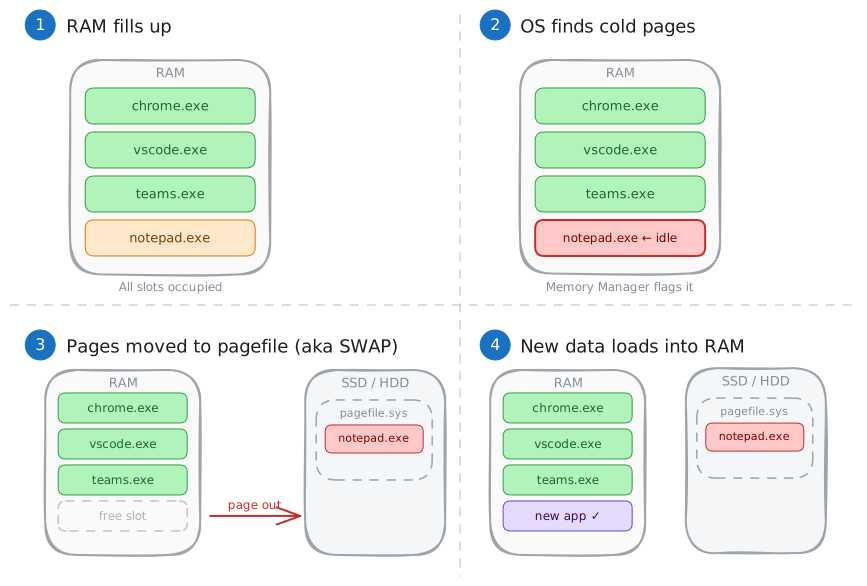
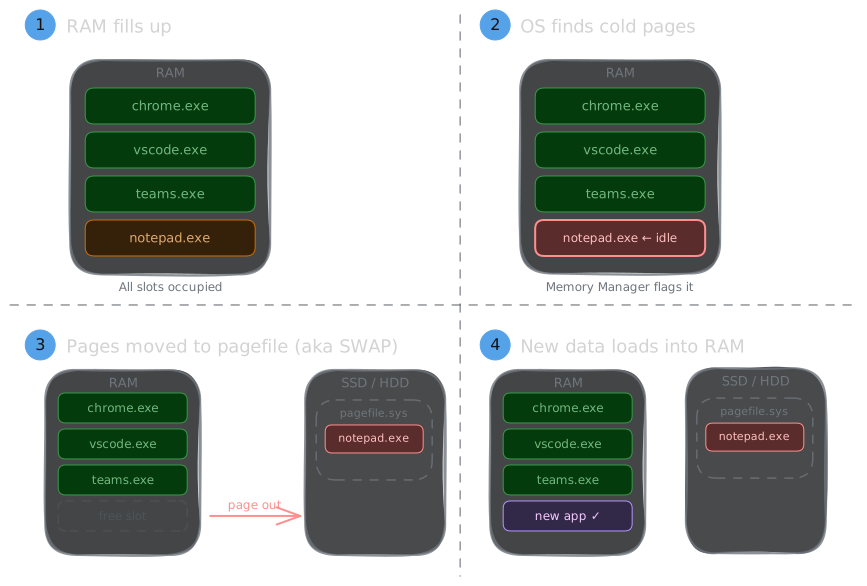
This is how a SWAP/Pagefile system works, in essence.
End~
Unresolved issue: Unable to run RAM at its advertised speed
note
I thought I had solved this issue, but my PC crashed again while I was finalizing this article. I prevented further crashes by lowering the RAM speed to 5600 MT/s. The computer is still fast, and the performance difference is negligible.
The text below documents the BIOS update and the temporary improvement it provided.
Since I built my first PC in 2024, I have been unable to configure my RAM to run at its advertised speed. I have a single 16 GB Adata XPG Lander DDR5 RAM module that is advertised to run at 6000 MT/s. It has an EXPO profile that I can enable in the BIOS. However, when I activate the profile, my PC randomly crashes or stops responding while I use it. I have to force it to shut down before starting it again.
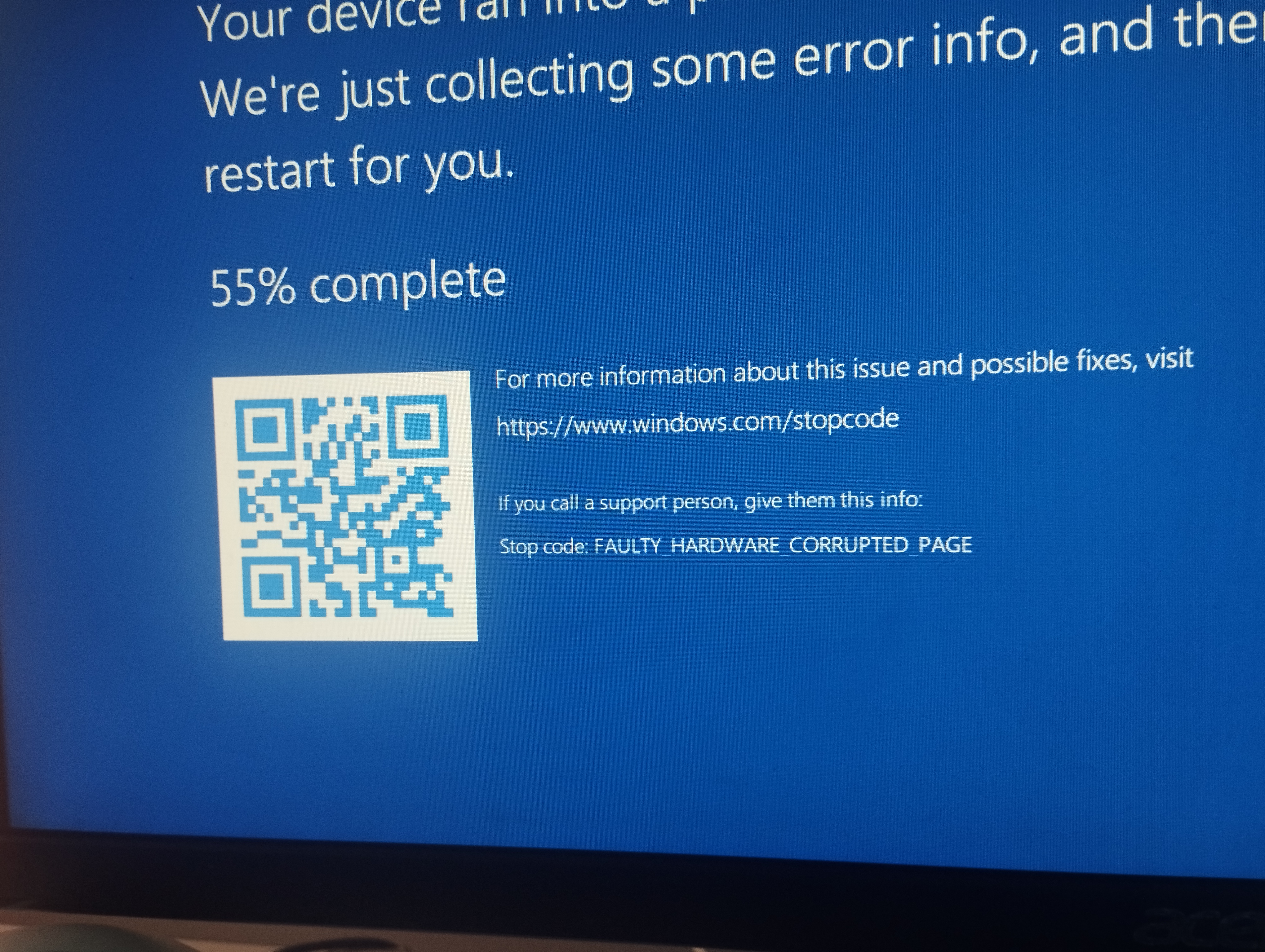
The BSOD screen I'm getting, and the error message sometimes changes
This is, of course, very annoying to me. I searched everywhere for a solution, but couldn't find anyone who had the same issue as me. I ran a memory test, and it didn't show any errors. I analyzed the crash dump but found nothing helpful. I also tried to update my BIOS, but the issue still persists.
I thought that perhaps I had received a lemon unit1 RAM module, so I accepted my fate. I manually turned down the speed to 5400 MT/s, and my PC ran without any issues. Despite not running at its maximum speed, it's not the end of the world, and I can live with it. Finally, I can work and play games without random crashes.
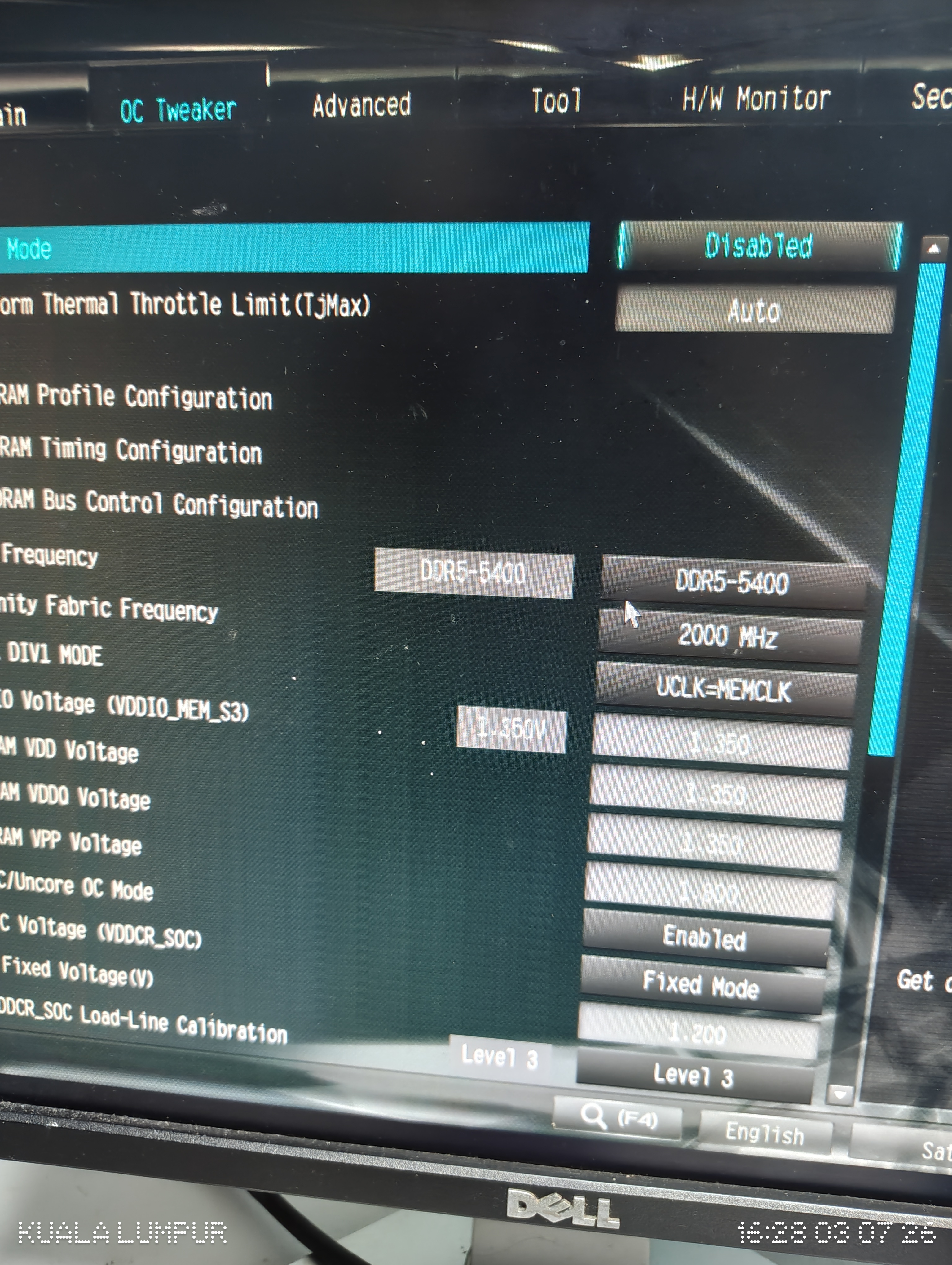
Recently, ASRock (my motherboard manufacturer) released a BIOS update mentioning 'Improved memory compatibility'. This was the first memory-related fix listed in its BIOS update history, so I updated the BIOS and enabled the EXPO profile again.

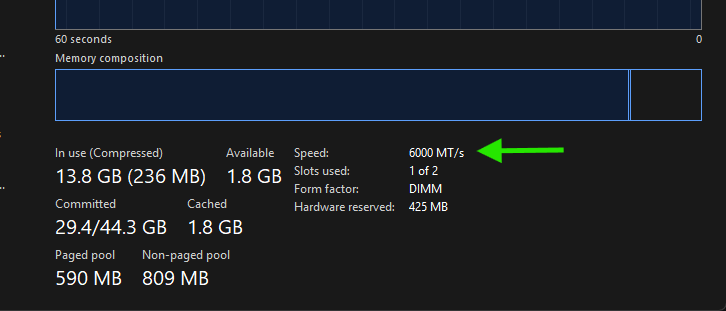
For a few days, I could use the RAM at its advertised 6000 MT/s speed without crashes or hangs. However, the problem eventually returned, so the BIOS update did not provide a permanent fix.
End~
Thanks for reading this post. I hope it can help you if you have the same issue as me. If you have any questions, feel free to leave a comment below.
Footnotes
Lemon unit is a term used to describe a defective vehicle shortly after purchase. ↩